- Select Site Administration
- Choose Users from the top, horizontal menu, then scroll down to Permissions and click Define roles.
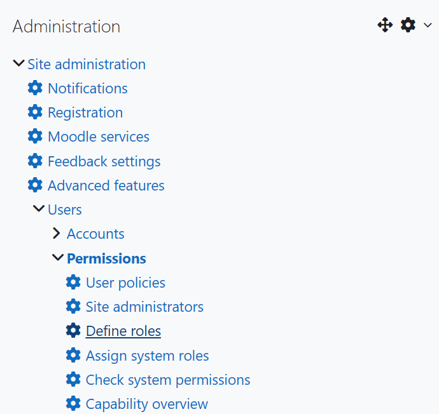
- Access Student role and click Edit.

- Scroll and locate or Search for "block/integrityadvocate:selfview" (Ctrl + f to search the page).

- Unclick the Allow checkbox to the right of View own Integrity Advocate results.
- Scroll down to the bottom of the page and select Save changes.
English
![IAlogopng.png]](https://7163577.hs-sites.com/hs-fs/hubfs/IAlogopng.png?height=40&name=IAlogopng.png)